
 Twitter
 Facebook
 YouTube
 Blog
BlogWhat is ipPulse?
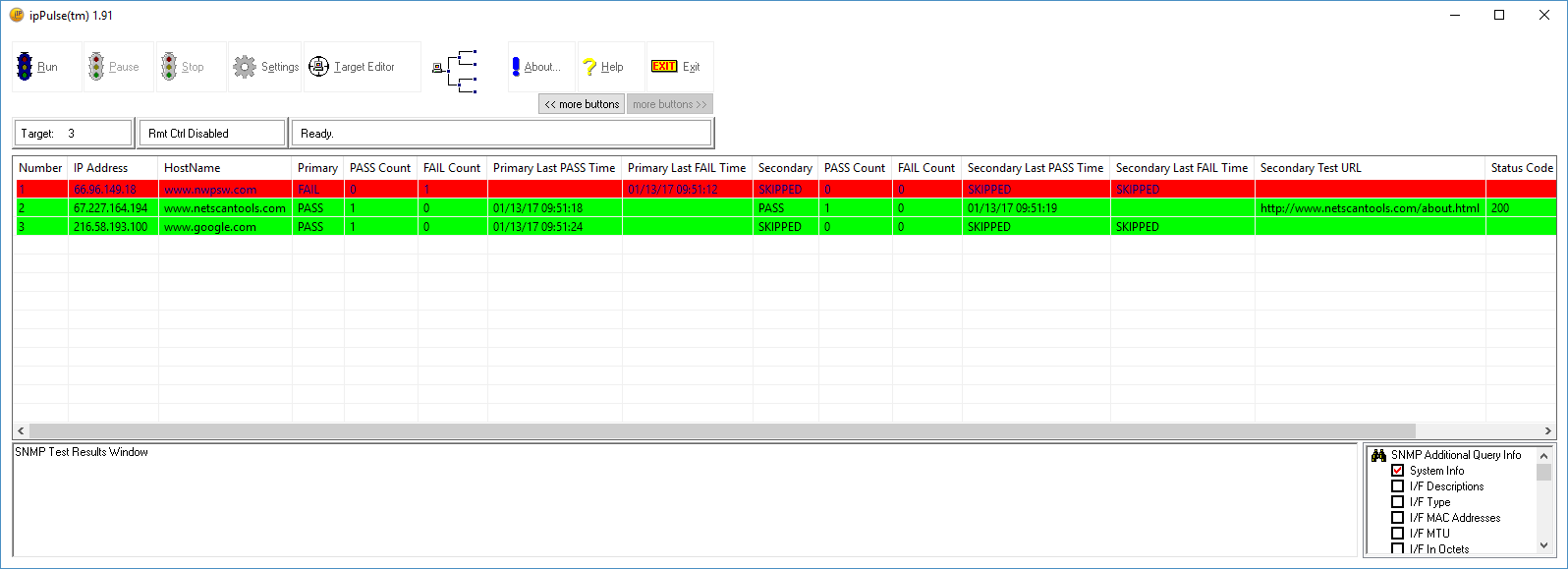
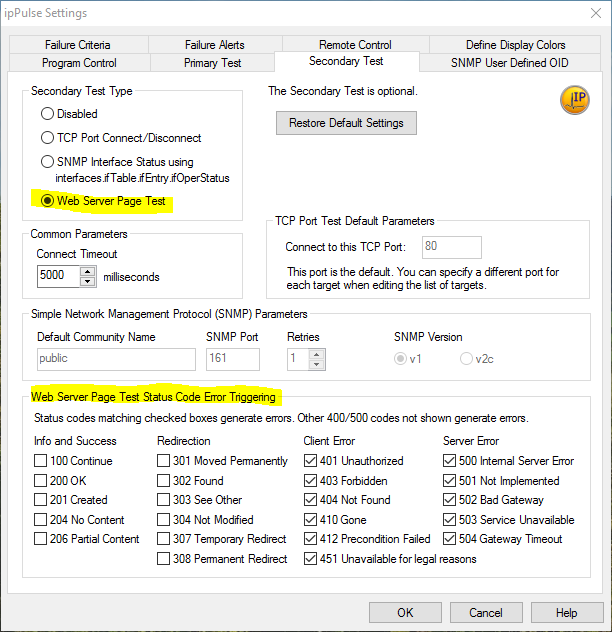
ipPulse™ - a network connectivity and device status monitoring tool for testing IPv4 connected devices. ipPulse periodically checks (polls) your list of devices to assess the whether the devices are reachable or respond to a connection attempt - it can retrieve a web page, check the web server status code and test for missing text in the retrieved web page. ipPulse alerts you to failures and it can send email alert messages to your phone.Overview of ipPulse™
Uses ping, tcp port connections or web server page retrieval to confirm connectivity and web server operational status.
For more details, please visit our nwpsw.com site. Full list of changes in the latest release is here.
Requires: Windows 10, 8.x, 7 (32 or 64 bit) and a TCP/IP network connection. Requires GUI, not a command line tool.
ipPulse Screenshot
ipPulse Web Server Page Retrieval Settings
Download ipPulse
Download a 30 free trial of ipPulse™ Now
End User
License Agreement (EULA)
How to
Uninstall

A video of the ipPulse™ in action!
ipPulse™ Pricing
Pricing: $69 for an unlock code - it is far less expensive than more famous competitors. And it does what you need.
Buy an ipPulse™ Unlock Code Now


NetScanTools is a registered trademark of Northwest Performance Software, Inc.
'NetScanTools Pro', 'NetScanTools Standard', 'ipPulse', 'Northwest Performance Software' and 'NetScanTools.com', are trademarks of Northwest Performance Software, Inc.
Any trademarked names mentioned herein are the property of their respective owners.
About Us
Email Us
Call Us
Help & Support Center
NetScanTools® Pro Topics
© 2024 Northwest Performance Software, Inc. All Rights Reserved. | Privacy Policy