
 Twitter
 Facebook
 YouTube
 Blog
BlogPurpose of the Ping Scanner Tool
The purpose of this tool is to locate active IPv4 devices connected to your local network or the internet. NEVER scan a computer you do not own or have the owner's permission to scan.About the Ping Scanner Tool
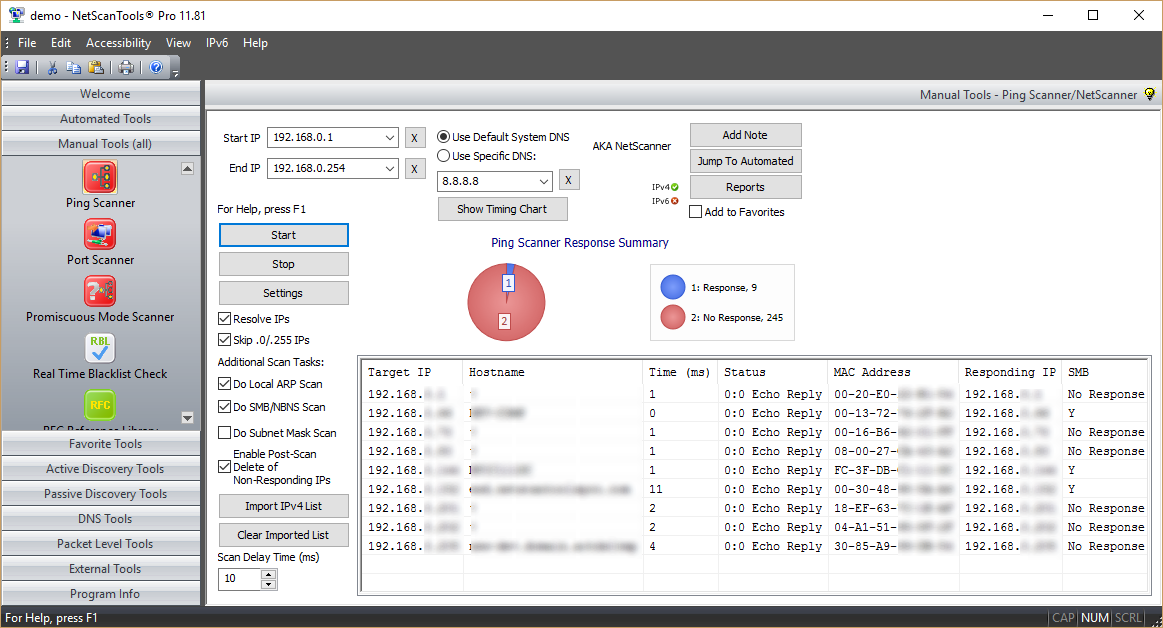
The Ping Scanner Tool sends ICMP ping packets to every IP address in any range of IPv4 addresses you specify. It looks for ICMP responses from active devices. This tool operates across any range of IPv4 addresses whether on your subnet or across the internet. It can also ping a list of IPv4 addresses that you need to ping. That list need not be contiguous, it can be random.
Use Ping Scanner to locate active devices and gather other information about those computers. Use this utility in conjunction with the Port Scanner tool for a full accounting of each IP address. This tool is also known as NetScanner (tm) or Ping Sweep.
Related Tool Links
Ping Scanner
Capabilities and Features
- FAST! Typical time to ping every IP address in the local 254 IP address class C subnet is 3.2 seconds - a faster platform, network and set of targets will give you different results. (Test platform: 3Ghz 2 processor XEON dual core XP SP 3 system with 3.12GB ram and a 100mb wired ethernet interface. Test Conditions: local subnet, ping timeout 2 seconds, ping scan only, no IP/hostname resolution, ARP scan, subnet mask or SMB/CIFS/NetBIOS queries)
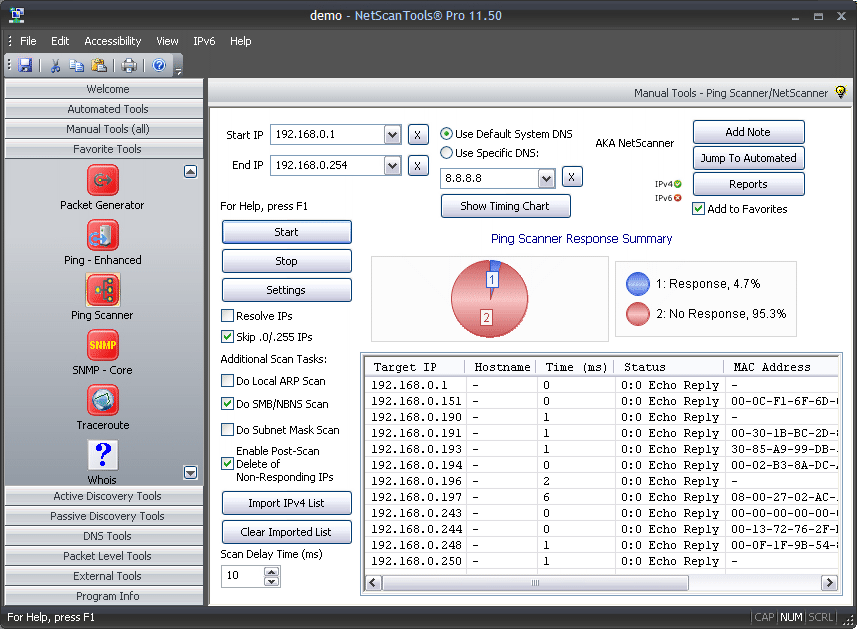
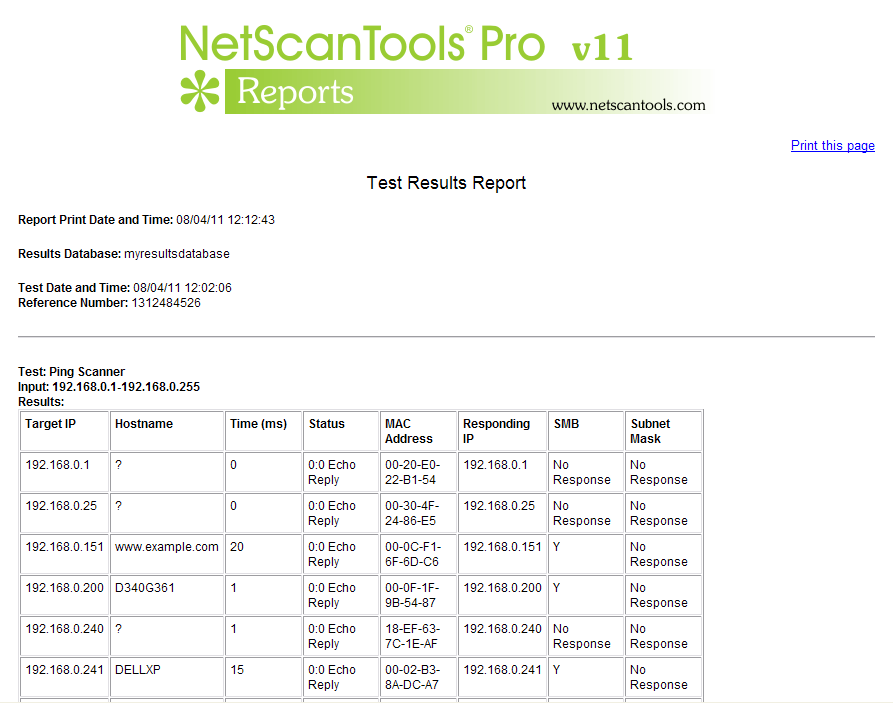
- Ping Scanner. Each target IP address is sent ICMP echo request ping packets. Responding device IPs are shown along with the response round-trip-time and the source IP address of the responding ICMP echo reply packet.
- Hostname resolution. Responding IPv4 addresses in the IP range or imported IP list can be optionally resolved to a hostname. This feature is dependent on DNS for accurate results. If you use the 'default System DNS' setting, SMB/CIFS/NetBIOS queries may also obtain the 'windows computer name'.
- Do Local ARP Scan. Following completion of a sweep, NetScanner can make additional ARP requests to responding IPs and add any new MAC address information into the results if MAC addresses were not recorded during the initial scan. This option is only useful for devices on the local subnet since ARP is not routed.
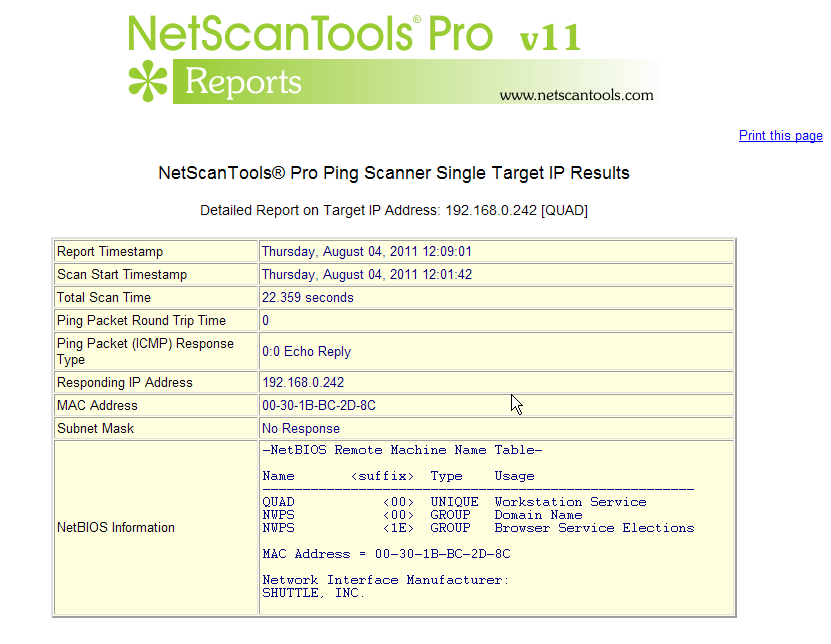
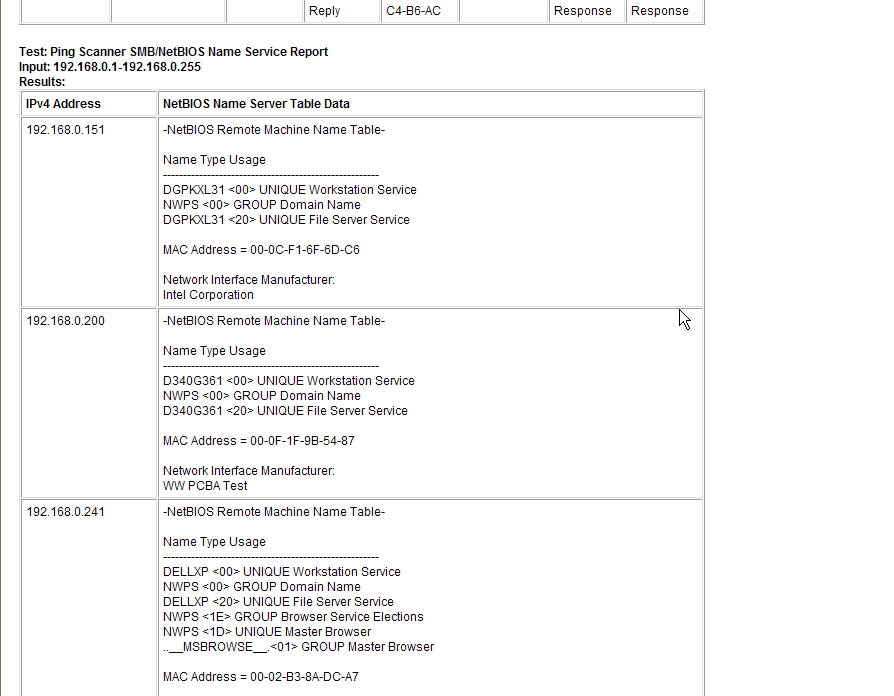
- Do SMB/NBNS Scan - getting a MAC address from SMB/CIFS/NetBIOS Name Server. SMB queries will obtain a MAC address if the target is a Microsoft Windows machine or Linux that responds to SMB queries. If the target responds, you can also get the Remote Machine Name table for viewing in the reports. This feature is optional and will work locally or across the internet if the target is not protected from SMB queries.
- Do Subnet Mask Scan. This option sends a ICMP address mask request and displays any responding information. Some target operating systems will respond, but most Windows versions after Win98 will not respond.
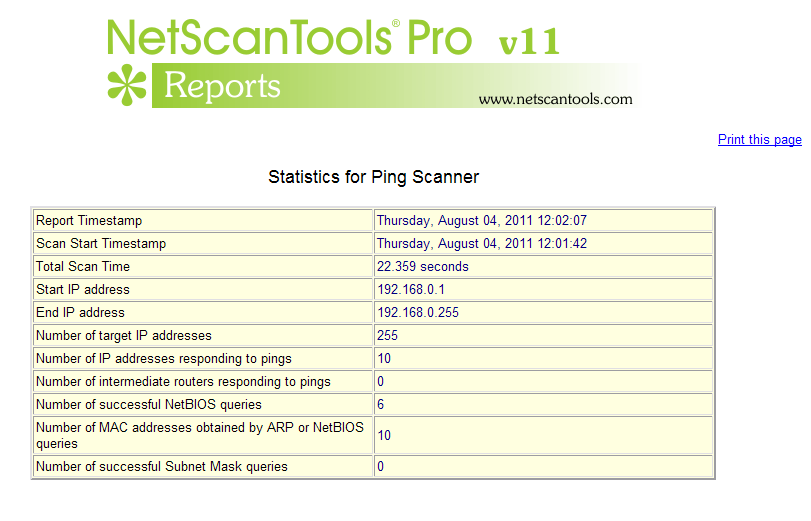
- Reports are available once the sweep is completed showing the scan statistics, report on an individual IP address or a combined results report. The reports are shown in your web browser (searchable, printable, can be saved to disk).
- Import Target IP List from File. This allows you to import a non-contiguous list of IP addresses, ie. random that can be any combination of local or internet IP addresses.
Summary Report
Single IP Report
Results Summary Pie Chart
Report Part 1
Report Part 2
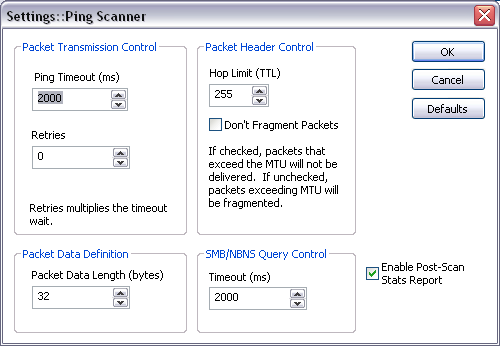
Ping Scanner Settings
A video of the Ping Scanner Tool in action!
Try the NetScanTools Pro demo free for 30 days
DEMO Version End User License Agreement (EULA)How to Uninstall


NetScanTools is a registered trademark of Northwest Performance Software, Inc.
'NetScanTools Pro', 'NetScanTools Standard', 'ipPulse', 'Northwest Performance Software' and 'NetScanTools.com', are trademarks of Northwest Performance Software, Inc.
Any trademarked names mentioned herein are the property of their respective owners.
About Us
Email Us
Call Us
Help & Support Center
NetScanTools® Pro Topics
© 2024 Northwest Performance Software, Inc. All Rights Reserved. | Privacy Policy