
 Twitter
 Facebook
 YouTube
 Blog
BlogTime Sync Tool Description
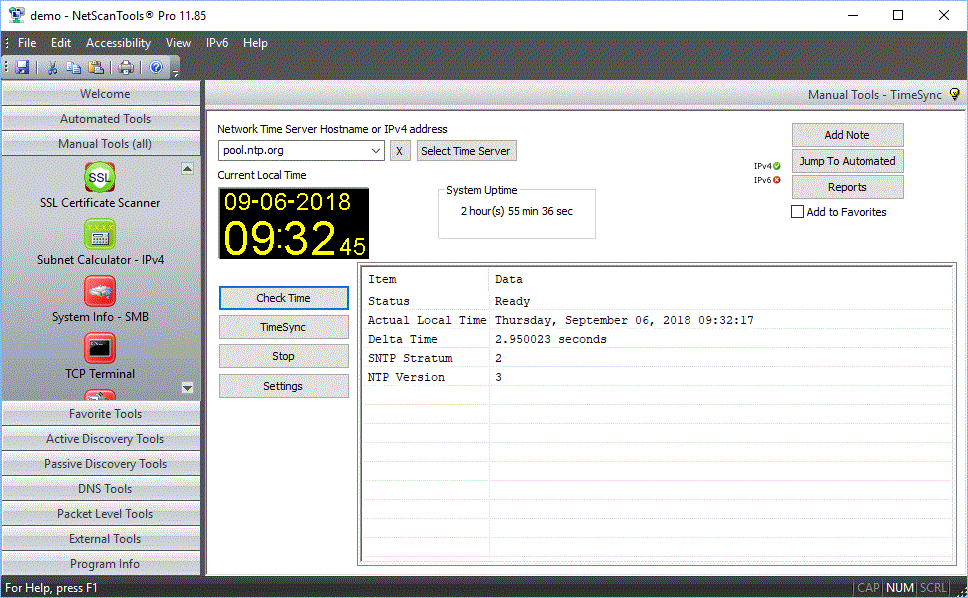
Time Sync communicates with network time
servers using SNTP protocol and determines the time difference between your computer
clock and the time server's time. You can either view the difference in time
or you can request NetScanTools Pro to change your computer clock
to match that of the time server. NetScanTools Pro will correct
your computer clock if the difference between your clock and the
network time server is less than 60 minutes. Clock time
correction require administrator privileges (not the
administrator login account, but elevated 'Run as
administrator' privileges) to change your system
clock.
The Time Sync Tool also shows your system
uptime.
DEMO Version End User License Agreement (EULA)
How to Uninstall


NetScanTools is a registered trademark of Northwest Performance Software, Inc.
'NetScanTools Pro', 'NetScanTools Standard', 'ipPulse', 'Northwest Performance Software' and 'NetScanTools.com', are trademarks of Northwest Performance Software, Inc.
Any trademarked names mentioned herein are the property of their respective owners.
About Us
Email Us
Call Us
Help & Support Center
NetScanTools® Pro Topics
© 2024 Northwest Performance Software, Inc. All Rights Reserved. | Privacy Policy