
 LinkedIn
 X
X Facebook
 YouTube
 Blog
BlogTroubleshoot, map, and analyze networks faster with NetScanTools®
Since 1997 NetScanTools has been providing network and IT professionals with advanced diagnostic and troubleshooting toolkits. Most used for on-demand verification and issue investigation, NetScanTools combines 70+ command line and third-party utilities into a single comprehensive suite.NetScanTools® Pro
Precision Diagnostics for Network and IT Challenges
NetScanTools Pro is a suite of
network troubleshooting
and diagnostics utilities for
Windows computers. The platform
combines capabilities like packet
analysis, connectivity checks,
DNS/WHOIS tools, port discovery, and
traceroute functions, among others.
The program provides enhanced
functionality on many common tools,
as well as unique capabilities for
network testing, perfect for
advanced customers. The program runs
from a local workstation, without
agents, making it ideal for
deployment in sensitive
environments.
NetScanTools Pro provides a
free 14 day trial, so anyone looking
to access these network diagnostic
tools can do so for free, before
making a purchase.
More
Information |
The
Tools | Buy Now
Try It Free - 14 Day Demo
 Explore everything NetScanTools Pro
has to offer - no payment required.
Explore everything NetScanTools Pro
has to offer - no payment required.More Information: See the app description page.
DEMO Version End User License Agreement (EULA)
How to Uninstall
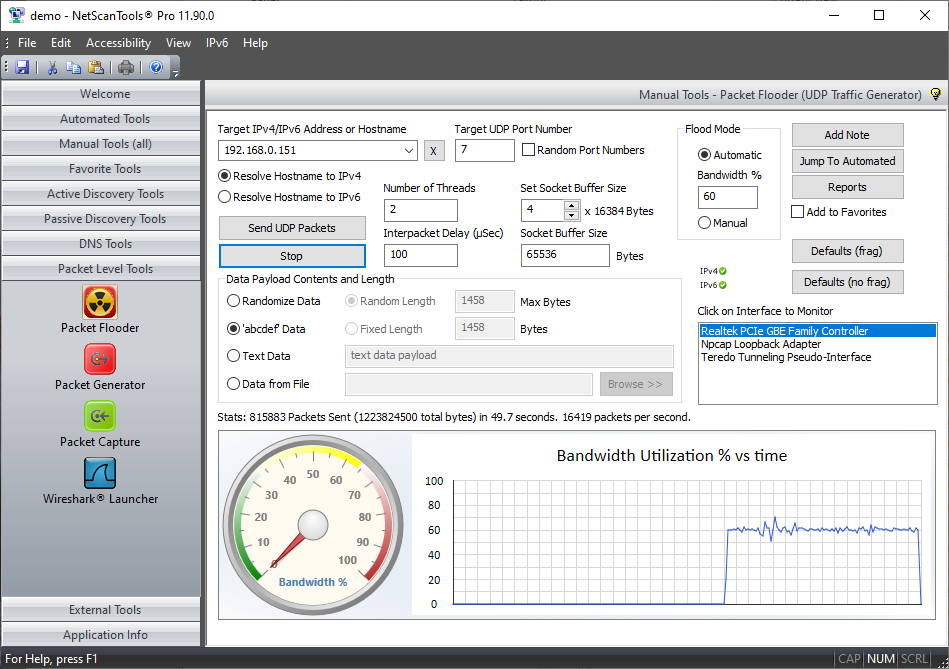
NetScanTools Pro Packet Flooder
NetScanTools Pro PingTrend

NetScanTools® Pro USB Version
Network professionals on-the-go rely on the USB version of NetScanTools® Pro to solve their daily network problems.
The USB version is a fully portable application that resides entirely on the flash drive**.
The USB version of NetScanTools Pro is designed for Network Engineers, Technicians or Security Personnel who frequently move from machine to machine.
It has the same set of over
50 network tools in an easy to use interface. The difference is that you do not have to install the software**.
More Information |
USB version |
The
Tools |
See Tool Videos | Buy Now
- Available as a download - you supply the USB flash drive. You will be installing this on your own high speed USB flash drive with tech support assistance to fully activate it on your drive.
Try the Installed Version NetScanTools Pro Demo
Trial Period: 14 daysMore Information: See the app description page.
DEMO Version End User License Agreement (EULA)
How to Uninstall
Download the installed version DEMO

NetScanTools® Basic
NetScanTools Basic Edition was introduced as a freeware product designed to fill the gap left by the retirement of NetScanTools Standard in 2004.
It includes these basic network tools: DNS Tools - Simple, Ping, Ping Scanner, Graphical Ping, Traceroute and Whois. Additional description on this page.
Trial Period: unlimited
Cost: $0
End User
License Agreement (EULA)
How to
Uninstall
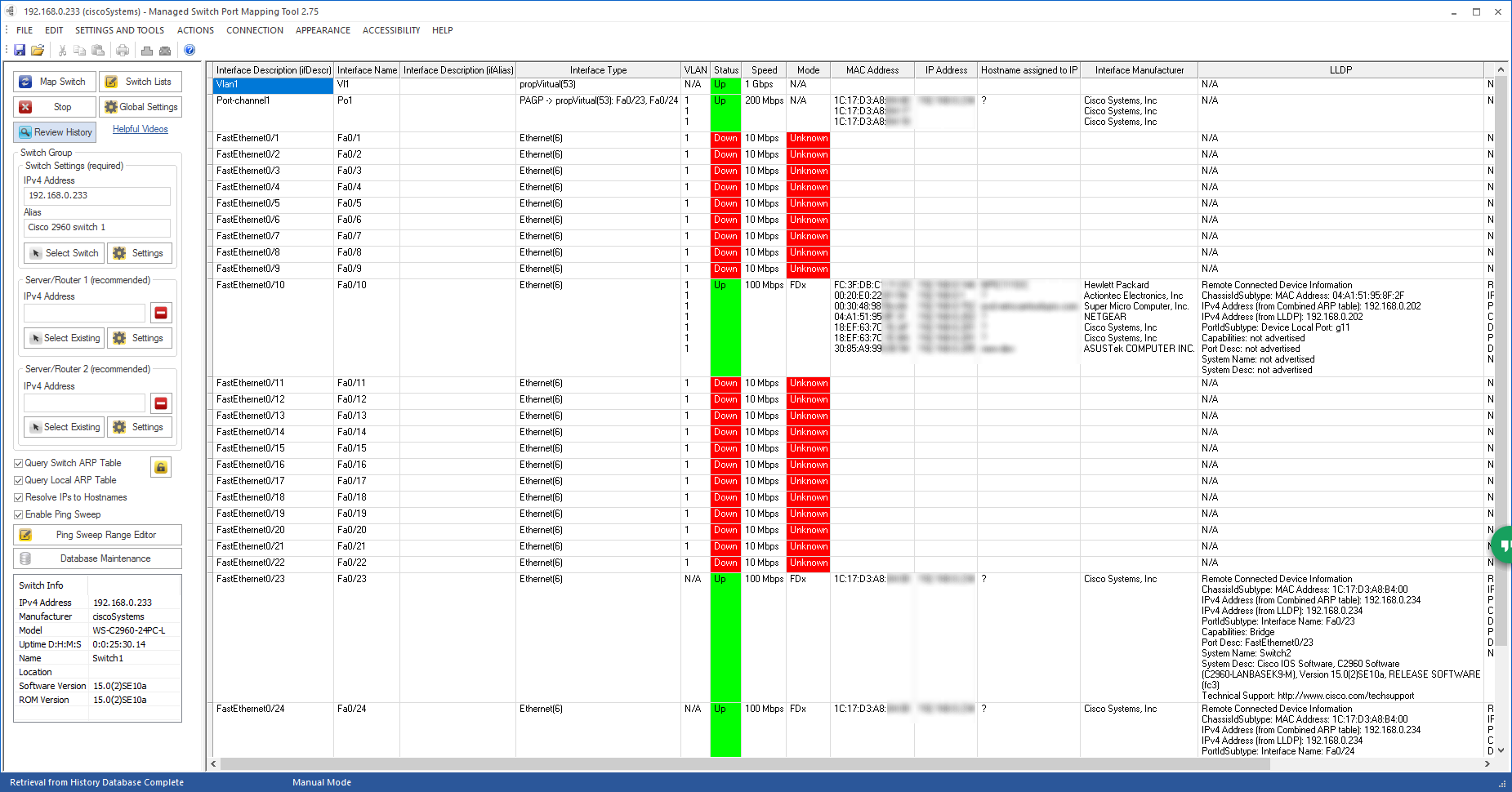
Managed Switch Port Mapping Tool
The Managed Switch Port Mapping tool is an application that communicates with a managed ethernet switch via SNMPv1/v2c/v3 and shows the devices connected to physical switch ports. Full install/uninstall support.
More Information | See Videos | Buy Now
Trial Period: 14 days
More Information: See the app description page.
End User License Agreement (EULA)
How to Uninstall
Switch Port Mapper Screenshot
Demonstration and Training Videos
We have a number of demonstration videos showing NetScanTools Pro Version 11 in action.
There are also videos of the Managed Switch Port Mapping tool mapping switches from a number of
different vendors including Cisco, HP, Netgear, Extreme Networks and others.
Visit this page to view the videos.
News
Sept 27, 2026
September NetScanTools Newsletter is available here.July 28, 2026
Managed Switch Port Mapping Tool v2.90 Released Download here.May 1, 2026
NetScanTools Pro v11.95.5 Released Revision History.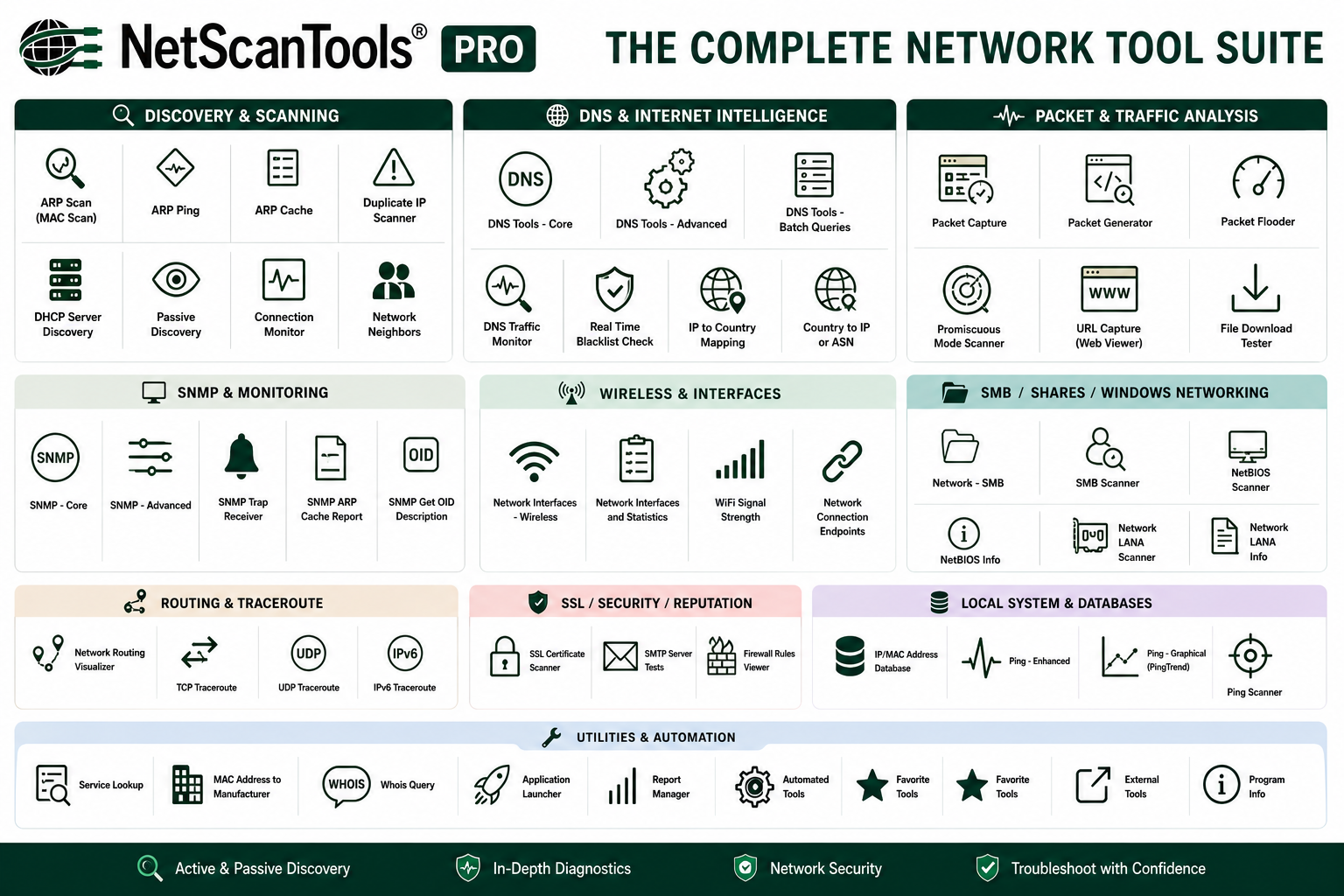
Who NetScanTools Is For
| User Type | What They Use It For |
|---|---|
| Network Engineer | DNS troubleshooting, auditing shares, routing diagnostics, discovering attached switch devices |
| IT Helpdesk / Support | Locating rogue hosts, device discovery, ping/ARP/port testing, identifying connected switch ports |
| Security Analyst | Exposure audits, open ports, SNMP enumeration, SMTP relay testing |
| Field Technician / On-Site Staff | Remote switch mapping, DHCP discovery, MAC address identification |
| MSP / Consultant | Site assessments, quick diagnostics, compliance snapshots |
| Data Center Admin / Infrastructure | Visualizing rack switch usage, port utilization reporting, bulk SNMP queries |
| IT Manager / Procurement | Hardware asset audits, pre-upgrade assessments, verifying port capacity use |
| Switch Admin / Network Architect | Mapping port-to-device connections, identifying unused ports, reviewing switch infrastructure health |
What IT Pros Are Saying
"NetScanTools Pro is my reliable go-to for fast, versatile network analysis.
With a comprehensive set of tools—like DNS lookups, ping sweeps,
traceroute, and packet capture—it consistently delivers the functionality I
need. A top choice for anyone looking for advanced diagnostics in one
convenient package."
-Martin Zinaich
“NetScanTools Pro is a solution finder. I've never come across a better
software solution for network engineers, and our team uses it every day.”
–
Kurt Dicus, Vice President of IT, BD&A Inc.
“I tried SolarWinds, but it costs $1000 and in truth isn't any better than
NST. Grats on a bang-up job. I love my USB key—I use it most of the time.”
– Anthony M., IT Professional
“NetScanTools Pro is one of the programs in my arsenal I rely on daily to
investigate and mitigate malware. I bought it for my entire team.”
– Aryeh Goretsky, Security Researcher

NetScanTools is a registered trademark of Northwest Performance Software, Inc.
'NetScanTools Pro', 'NetScanTools Standard', 'ipPulse', 'Northwest Performance Software' and 'NetScanTools.com', are trademarks of Northwest Performance Software, Inc.
Any trademarked names mentioned herein are the property of their respective owners.
About Us
Email Us
Call Us
Help & Support Center
NetScanTools® Pro Topics
© 2026 Northwest Performance Software, Inc. All Rights Reserved. | Privacy Policy