
 LinkedIn
 X
X Facebook
 YouTube
 Blog
BlogPurpose of the Port Scanner Tool
The purpose of the Port Scanner Tool is to identify TCP or UDP ports on a target system that appear to be 'open' or used by a service.About the Port Scanner Tool
Port Scanner is an essential security tool for finding open ports (listening ports) corresponding to the TCP or UDP services (daemons) running on a target device. This scanner allows you to run four different types of scanning patterns while looking for TCP or UDP open ports. You can scan a linear range of ports or a list of ports on one IP address or on a list of IP addresses. You have full control over connection timeouts, TCP packet headers and other important parameters. Any data that is received from the target port upon connection is saved for viewing (Full connect or UDP modes only). The results are presented in spreadsheet form for easy review of results. A summary pie chart gives a quick overview of the responding and non-responding port information.
Related Tool Links: none
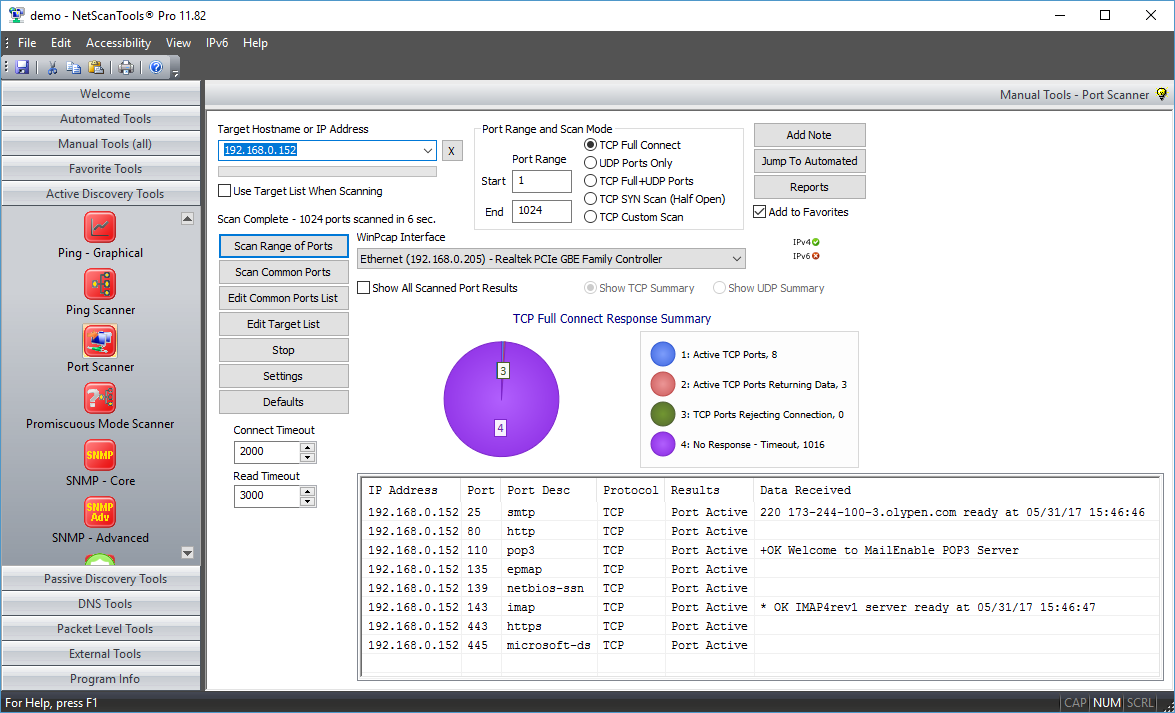
TCP Full Scan Screenshot
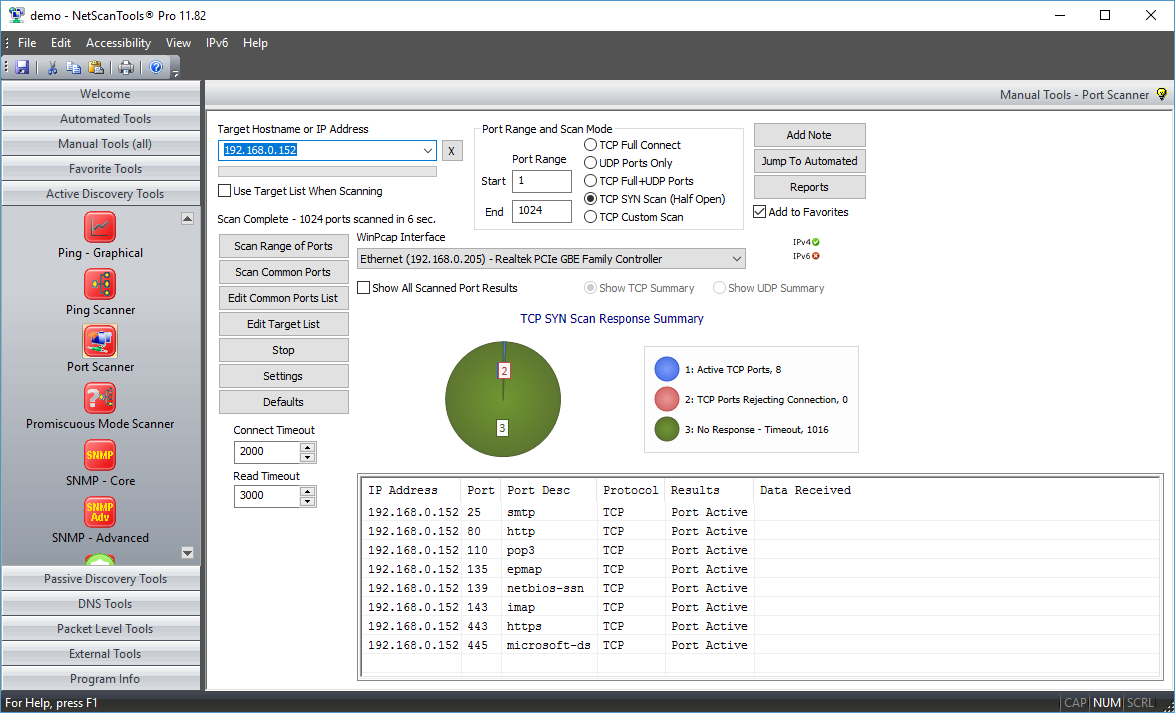
TCP SYN 'Stealth' Scan Screenshot
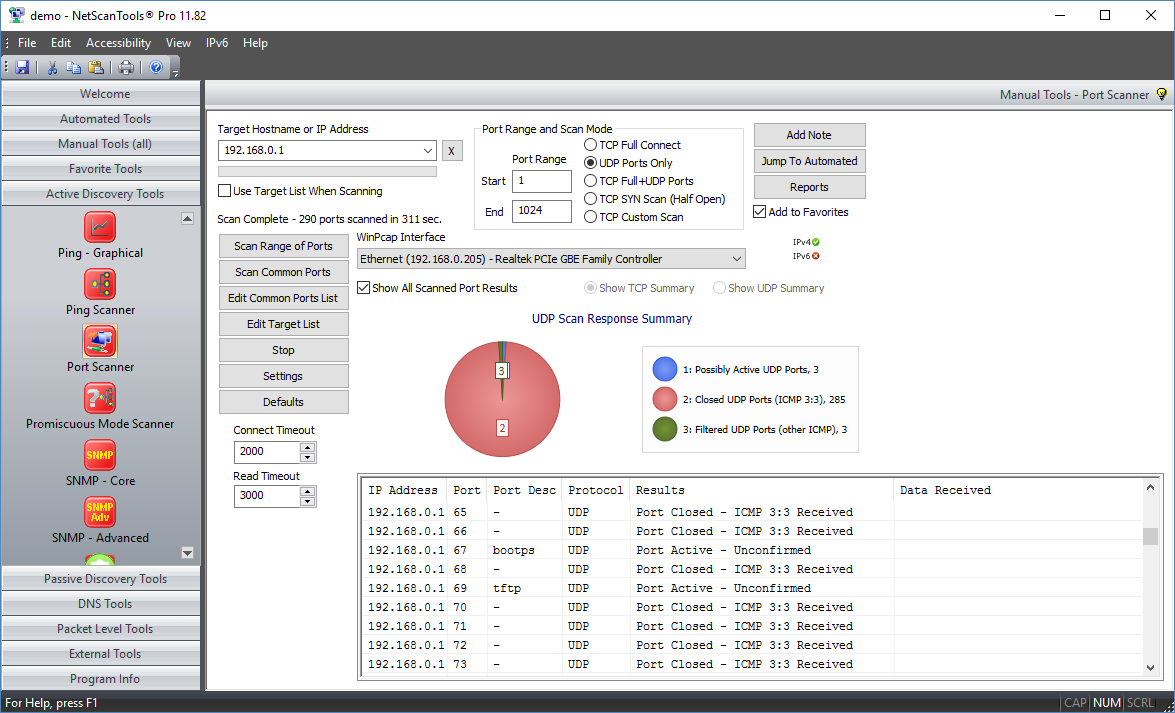
UDP Scan Screenshot
How the Port Scanner Tool works
Five types of port scans.
- TCP Full Connect. This mode makes a full TCP connection to the target and optionally saves any data or banners returned from the target. This mode is the most accurate for determining open TCP ports, but it is also easily recognized by Intrusion Detection Systems (IDS). Windows 10 limits the effective use of this mode because the operating system has some new limits on 'unanswered' SYN packets -- we monitor for signs that those limits have been reached. The SYN half open feature is another choice for detecting open TCP ports.
- UDP ICMP Port Unreachable Connect. This mode sends a short UDP packet to the target's UDP ports and looks for an ICMP Port Unreachable message in return. The absence of that message indicates either the port is used or the target does not normally return the ICMP Port Unreachable message which can lead to false positives. We can save any data or banners returned from the target. This mode is also easily recognized by IDS.
- TCP Full/UDP ICMP Combined. This mode combines the previous two modes into one operation.
- TCP SYN Half Open. This mode sends out a SYN packet to the target port and listens for the appropriate response. Open ports respond one way and closed ports respond differently. This mode is less likely to be noted by an IDS. Since the TCP connection is not fully completed, we cannot gather data or banner information. You have full control over TTL, Source Port, MTU, Sequence number, and Window parameters in the SYN packet. Requires WinPcap. This feature is designed for wired ethernet cards and it usually works with WIFI interfaces.
- TCP Other. This mode sends out a TCP packet with any combination of the SYN, FIN, ACK, RST, PSH, URG flags set to the target port and listens for the response. You have full control over TTL, Source Port, MTU, Sequence number, and Window parameters in the custom TCP packet. The Analyze feature helps you with analyzing the response based on the flag settings you have chosen. Each operating system responds differently to these special combinations. We include presets for XMAS, NULL, FIN and ACK flag settings. Requires WinPcap. This feature is designed for wired ethernet cards and it usually works with WIFI interfaces.
Four types of scan patterns.
- Scan Range of Ports. This option scans a linear range of ports as defined by the start/end port numbers targeting one IPv4 address or hostname.
- Scan Common Ports. This option scans only the ports listed in the Port List. You can edit the port list.
- Scan Range of Ports Using the Target List. This mode scans every port using the Starting through Ending port range on every computer in the target list. Use this mode when you have a noncontiguous set of IP addresses to check.
- Scan Common Ports Using the Target List. This mode is the most stealthy mode and uses the least amount of CPU time and bandwidth because you are scanning only the target ports you want on the target machines you want. You can manually randomize your list of ports and targets to minimize detection by scanning detection programs.
Other Features
- Response Summary Pie Chart. This shows a quick summary of the responses so you can see at a glance whether any ports responded or are open. See the screenshots below.
- Ping before Scan. This option allows you to skip (automatically or by user response to a message) hosts that do not respond to pings. This is highly recommended for the TCP Full Connect Mode.
- Port response timing (1 ms resolution) is included for TCP Full Connect Mode.
- Save responding data ('welcome' login banners) is included for TCP Full Connect Mode.
- You have full control over the speed of the scanner. You can control the number of threads used to scan the host and the delay between launching each thread. Each thread contacts one port at a time. You can also vary the amount of time to wait for a response to a probe of the port and the amount of time to wait after a connection for a banner to be sent to you.
A video of the Port Scanner Tool in action!
Try the NetScanTools Pro demo free for 14 days
DEMO Version End User License Agreement (EULA)How to Uninstall


NetScanTools is a registered trademark of Northwest Performance Software, Inc.
'NetScanTools Pro', 'NetScanTools Standard', 'ipPulse', 'Northwest Performance Software' and 'NetScanTools.com', are trademarks of Northwest Performance Software, Inc.
Any trademarked names mentioned herein are the property of their respective owners.
About Us
Email Us
Call Us
Help & Support Center
NetScanTools® Pro Topics
© 2026 Northwest Performance Software, Inc. All Rights Reserved. | Privacy Policy